
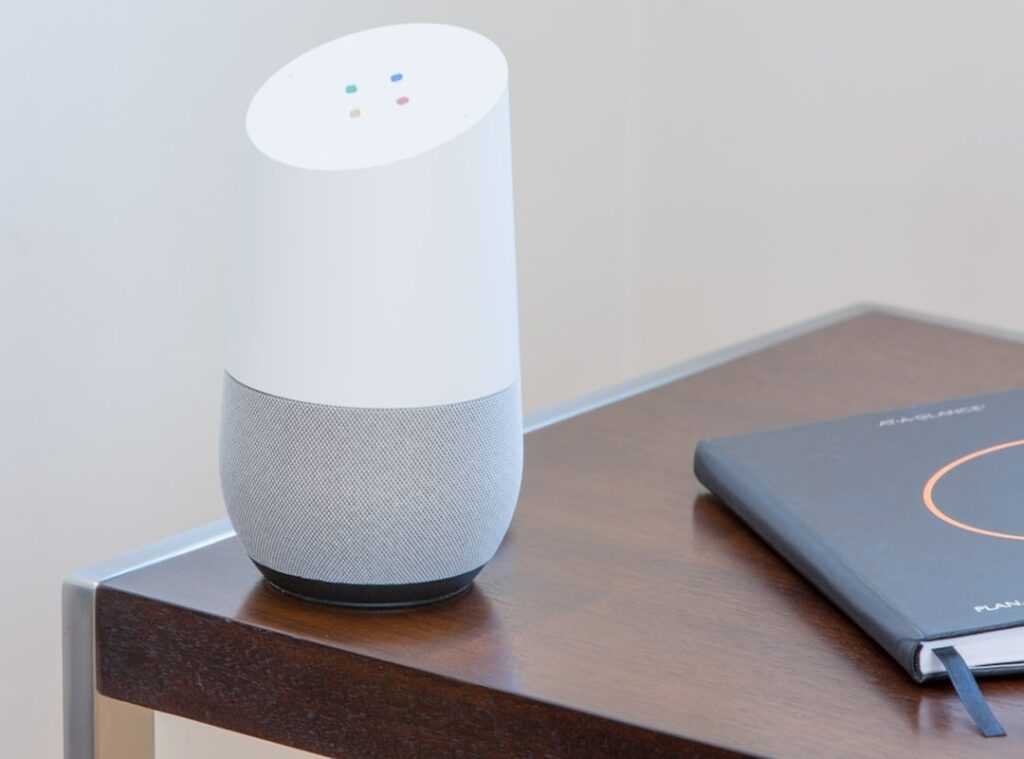
Picture this: you’re buzzing with excitement after purchasing the latest smart gadget, only to find out it’s not compatible with your Google Home. Frustrating, right? this guide comes in. I’ve been through it all (setting) up smart homes, connecting devices, and sometimes learning the hard way.
I get the struggle.
This article’s purpose is simple: I’ll show you how to make sure your next purchase works seamlessly with Google Home integration. You’ll leave with a straightforward checklist, and yes, the confidence that your smart home will function without a hitch.
Trust me, this is built from hands-on experience. No more guesswork or buyer’s remorse. Ready to dive in?
Let’s make sure your tech investments are smart in every sense.
Google Home: The Ultimate Smart Device Sidekick
Ever wonder what “Works with Google Home” really means? It’s pretty simple. It means you can boss your gadgets around using your voice.
Just talk to a Google Assistant speaker or display, and voilà. You can also manage them through the Google Home app.
Look for the “Works with Google Home” badge on the product box or the online store page. This little icon is your ticket to a smoother, more connected life. It’s like a universal remote for all your smart devices.
Remember those? They controlled both your TV and Blu-ray player. Google Home does the same for your smart bulbs and thermostats.
Now, not all devices play nice in the same way. Some gadgets let you do everything (change light colors, dim them) while others just turn on and off. It depends on their level of Google Home integration.
It’s kind of like having a friend who only texts versus one who FaceTimes.
Then there’s the connection thing. Some devices hook up directly via Wi-Fi. Others need a separate hub like Zigbee or Z-Wave.
The hub acts as a middleman. So don’t freak out if your new smart gadget needs a little extra help getting online.
For more on how different smart devices work together, check out Cross Platform Compatibility Smart Homes. It’s a game-changer for connected living.
Pro tip: Always check the compatibility before you buy. Saves you a headache later.
Your 3-Step Checklist for Verifying Compatibility
Before you dive headfirst into the world of smart gadgets, let’s tackle the buyer’s remorse dilemma. A bit of diligence upfront saves a lot of hassle later. You don’t want to end up with a shiny new device that just won’t play nice with your Google Home.
Here’s how you sidestep those compatibility headaches.
Step one, plain and simple: Look for the Badge. That logo, “Works with Google Home,” isn’t just for decoration. It’s your first line of defense.
Scan the packaging or skim through the online description like you’re Sherlock looking for clues. If it’s there, you can breathe easy knowing it’s made for Google Home integration. Miss this step, and you might as well hand over your bank details to a scammer.
Next up, step two: Check Google’s Official List. It’s the ultimate compatibility bible. Google’s official ‘Explore’ section isn’t hidden away like Area 51, but it’s not plastered everywhere either.
Open the Google Home app. Yes, do it right now (tap) that plus sign, hit ‘Set up device’, then tap ‘Works with Google’. This is the promised land for device compatibility.
Want more details? Google’s web-based partner list is your lifeline. Trust it.
Don’t make assumptions.
Now, here’s the final step, and it might surprise you: Read Recent User Reviews. I know, you thought you were done once you saw the badge and the list. But real-world user feedback is where the truth comes out.
Search for the product name along with ‘Google Home’ in reviews on your go-to retail sites. People love to talk about their setup experiences, connection woes, or any bugs. It’s like having a coffee with someone who’s already tried the gadget.
These steps form your fail-safe guide. But don’t just take my word for it. Check out google home integration for more takeaways.
This isn’t just about buying smart devices. It’s about buying the right smart devices. Do you want to gamble with your money and sanity or do you want to invest wisely?
Cross-checking compatibility isn’t just smart. It’s important if you want a smooth smart home experience. After all, your smart home should serve you, not the other way around.
Device Harmony: Effortless Google Home Integration
Ever wonder which devices connect smoothly with Google Home? If you’re dreaming of a smart home that actually works together, you’re in the right place. These categories show off the best of Google Home integration.
Smart Lighting is where it all begins. Brands like Philips Hue and LIFX make it easy to adjust your lighting with just a few words. Want to change the mood? You can control brightness and color or set up routines without lifting a finger.
Let’s talk about Smart Thermostats. Nest is a classic choice (everyone knows it), but Ecobee is a strong contender too. Imagine shifting the temperature without leaving your couch.
It’s as easy as asking Google.
Ever thought about smartening up your regular appliances? Smart Plugs & Switches do just that. TP-Link Kasa and Wyze can turn anything with a plug into a smart device. Suddenly, your ancient coffee maker is part of the 21st century.
Then we’ve got Smart Cameras & Doorbells. Nest and Arlo make your home safer and more connected. Forgot to check the door?
Ask Google to show the camera feed on your Nest Hub or TV. It’s a whole new level of home security.
And who could forget Smart Vacuums? iRobot Roomba is a game-changer. Start cleaning sessions with a simple voice command. No more pushing a vacuum around (let) Google do the heavy lifting.
But, let’s face it, sometimes things don’t go as planned. When you’re pulling your hair out over tech hiccups, remember there’s a place to troubleshoot integration issues. It can save you time and sanity.
In the end, building a smart home is about finding what works best for you. These devices make life easier. Why not let Google Home take a bit of the load?
Stuck With an Unfriendly Device?
So, you’ve bought something that refuses to play nice with your setup? Been there, done that. First off, don’t panic.
There’s often a bridge or workaround. Ever heard of IFTTT? It’s a free service that lets you connect incompatible devices with your Google Assistant.
Here’s a simple example. “Hey Google, it’s movie time.” That’s all you say, and IFTTT can close those stubborn non-compatible smart blinds.
Wondering about more advanced options? Some folks swear by hubs like Hubitat or Home Assistant. These are great for connecting just about anything, but they’re more for hobbyists who like getting their hands dirty.
So, what’s the takeaway? Google Home integration doesn’t have to be a nightmare. You just need the right tools.
Make Your Smart Home Work for You
The chaos of mismatched smart home devices is a headache. We’ve all faced it. But now, with your new 3-step checklist, that confusion is behind you.
You’re ready to confidently dive into the world of Google Home integration. Every device you buy can now fit perfectly, creating that smooth home you’ve always wanted.
Next time you shop for smart tech, use your checklist. Feel the relief of knowing everything will connect smoothly. Ready to make your smart home truly smart?
Embrace it. Start shopping with confidence. Make your home the connected paradise it should be.
 Jennifer Burnsivino is the kind of writer who genuinely cannot publish something without checking it twice. Maybe three times. They came to insightful reads through years of hands-on work rather than theory, which means the things they writes about — Insightful Reads, Home Automation Protocols, Smart Interior Innovations, among other areas — are things they has actually tested, questioned, and revised opinions on more than once.
That shows in the work. Jennifer's pieces tend to go a level deeper than most. Not in a way that becomes unreadable, but in a way that makes you realize you'd been missing something important. They has a habit of finding the detail that everybody else glosses over and making it the center of the story — which sounds simple, but takes a rare combination of curiosity and patience to pull off consistently. The writing never feels rushed. It feels like someone who sat with the subject long enough to actually understand it.
Outside of specific topics, what Jennifer cares about most is whether the reader walks away with something useful. Not impressed. Not entertained. Useful. That's a harder bar to clear than it sounds, and they clears it more often than not — which is why readers tend to remember Jennifer's articles long after they've forgotten the headline.
Jennifer Burnsivino is the kind of writer who genuinely cannot publish something without checking it twice. Maybe three times. They came to insightful reads through years of hands-on work rather than theory, which means the things they writes about — Insightful Reads, Home Automation Protocols, Smart Interior Innovations, among other areas — are things they has actually tested, questioned, and revised opinions on more than once.
That shows in the work. Jennifer's pieces tend to go a level deeper than most. Not in a way that becomes unreadable, but in a way that makes you realize you'd been missing something important. They has a habit of finding the detail that everybody else glosses over and making it the center of the story — which sounds simple, but takes a rare combination of curiosity and patience to pull off consistently. The writing never feels rushed. It feels like someone who sat with the subject long enough to actually understand it.
Outside of specific topics, what Jennifer cares about most is whether the reader walks away with something useful. Not impressed. Not entertained. Useful. That's a harder bar to clear than it sounds, and they clears it more often than not — which is why readers tend to remember Jennifer's articles long after they've forgotten the headline.